The cart is empty
Robotic cell for automated insertion of keycaps into keyboard masks
A technically advanced and efficient solution for higher productivity and reliable quality in the electronics industry.
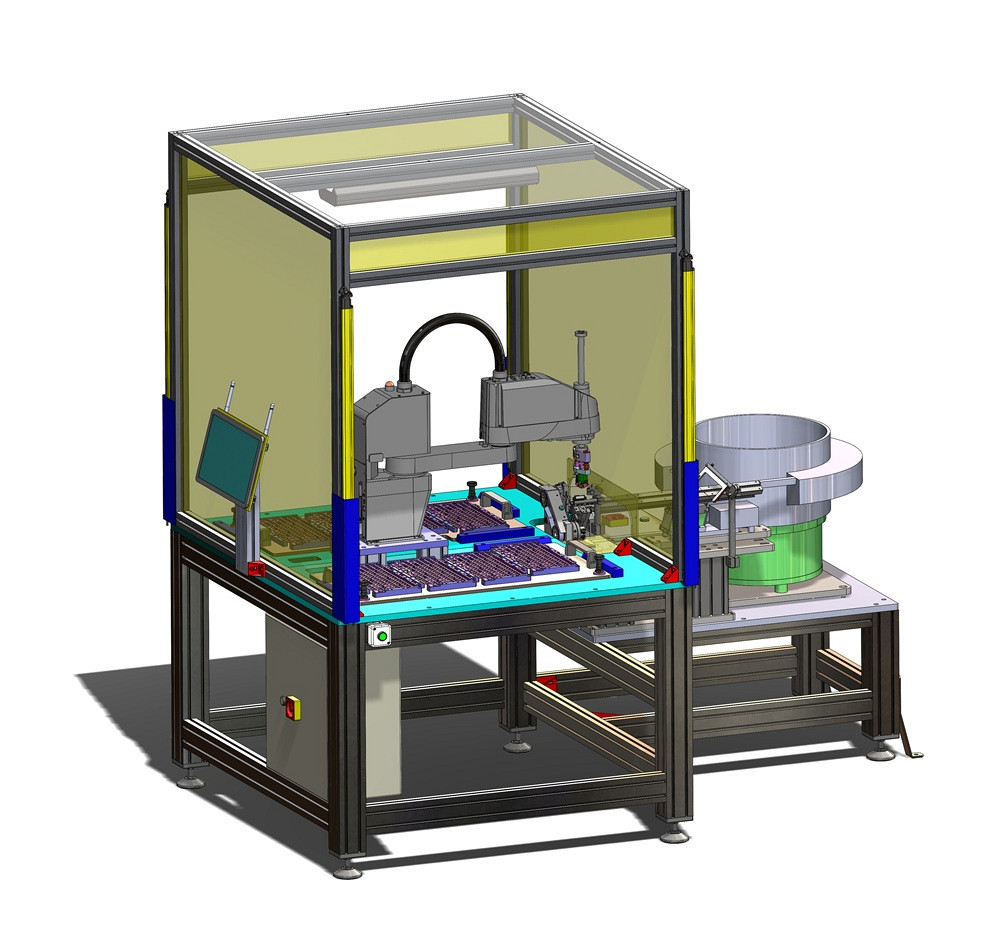
Due to increasing production volumes and ever-higher quality requirements, computer keyboard manufacturers are increasingly facing limitations with manual labour. In this specific case, the client has been manually inserting the keycaps into the keyboard masks until now, which required a large number of workers and simultaneously presented a significant challenge in terms of process repeatability and quality.
The keys are extremely small, and their correct orientation is crucial for the continued functionality of the keyboard. Due to the very small contacts, correct orientation is difficult to detect with the naked eye, which often leads to errors, rejections, and additional control procedures.
Solution description
To eliminate the aforementioned issues, we developed a dedicated robotic cell that fully automates the process of inserting keys into keyboard masks. The heart of the system is a vibrating container with a complex mechanical orientation system, which ensures that the keys are always correctly prepared for manipulation upon arrival at the retrieval point.
Precise orientation using an optical system
An optical sensor is installed at the sampling point to check the orientation of each key. The system measures the orientation of the piece and transmits this information to the robot in real-time. This ensures that the robot acquires information about the key's orientation before insertion, which is an essential requirement for the quality of the final product and eliminates human error.
Compensating 4-way gripper
The pneumatic four-finger gripper ensures precise gripping of keys on a small surface while simultaneously aligning the key parallel to the mask waiting in the clamping device. The keys are inserted with a specific force, which we compensate with precise guidance and spring compensation along the Z-axis of the gripper.
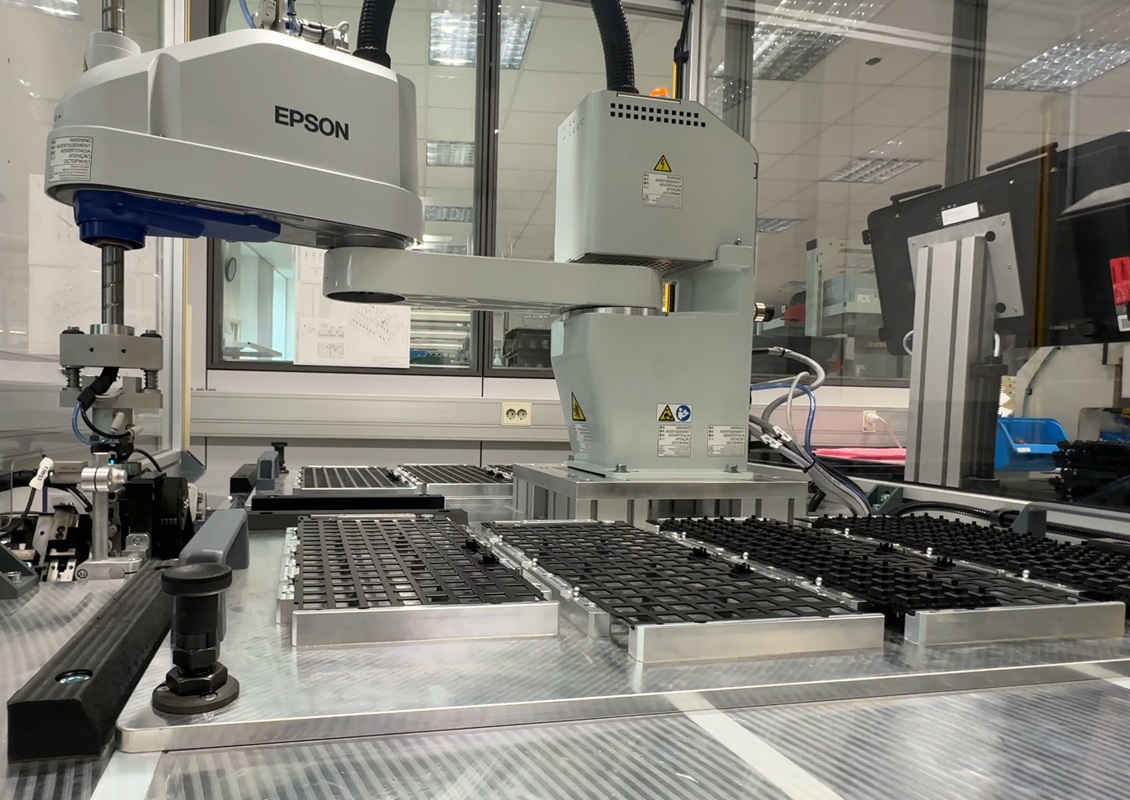
Working area of the robot
Eight masks are inserted in one robotic cell, each containing 128 key positions. This means the robot lays over 1000 keys in a single cycle, representing a significant increase in productivity compared to manual labour.
The operator has the option, through a clear graphical user interface, to choose which masks the robot will insert the buttons into. This design allows for a high degree of flexibility, easy production adjustments, and quick batch changes without lengthy setups.
Advantages of introducing a robotic cell
With the introduction of the robotic cell, the customer achieved:
- a significant reduction in the need for manual labour,
- greater repeatability and stable process quality,
- eliminating errors due to incorrect key orientation,
- higher productivity and shorter cycle times,
- greater ergonomics and operator relief,
- High productivity and flexibility.
Automating the process of inserting keycaps into keyboard masks represents a significant step towards modern, efficient, and competitive production that is prepared for the demands of the future.
Safety according to the highest industry standards
Special attention was given to the safety of operators and compliance with applicable safety standards for industrial automation during the development of the robotic cell. The entire solution is designed and manufactured in accordance with current European safety standards and directives, including requirements for machinery and robotic systems in an industrial environment.
The robotic cell is indirectly and directly protected by appropriate safety enclosures and clearly defined access zones. To protect the robot's movement area, safety light curtains of the highest safety category are installed, ensuring reliable detection of entry into the hazardous zone. Upon interruption of the light field, the robotic system immediately and safely stops, preventing the possibility of damage or dangerous situations.
Such a holistic safety design enables smooth and safe operation for operators while ensuring that the robotic cell meets all requirements for safe use in an industrial production environment.
Process of the robotic cell's operation
1. The operator inserts the masks into the trays,
2. The operator pours the keys into the vibrating bowl,
3. The operator selects which masks they want to fill on the graphical interface and presses start.
4. The robot inserts the keys into the masks.
Graphical user interface
GUI or The Graphical User Interface allows us to make individual customisations to the graphical display of the process and offers various options for displaying control elements such as: start/stop, selection of operating mode, selection of masks, return to the initial position, on/off lighting, etc.
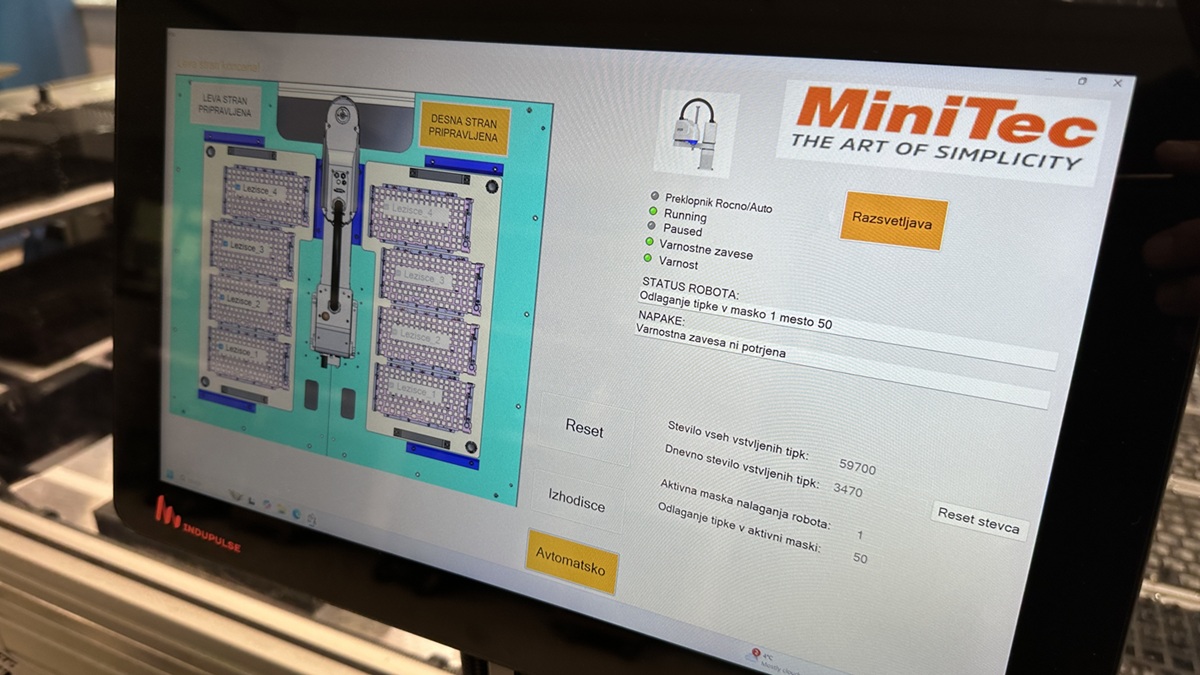
GUI - Graphical User Interface
Our solution includes
- aluminium profile frame with a base plate made of machined aluminium,
- purpose-built robotic gripper,
- a vibrating bowl for sorting and orienting keys,
- a linear vibration chute for placing the keys,
- the system orients and prepares the key for the robot's removal position,
- optical sensor for detecting the orientation of the button,
- mask attachment beds,
- safety frame with safety light curtains,
- electrical control cabinet,
- operator graphical interface.
The robotic cell is just one example of our dedicated solutions for the electronics industry. See other projects we have successfully completed for clients.
Calculate ROI for your process
Quickly estimate the financial impact of automation with our ROI calculator. Check the investment payback period and potential annual savings for your process.